In this step
Choose whether to start a new enrollment or return to your dashboard. Your progress is saved automatically.
What to do
- Click "Yes, start enrollment" to begin the process
- Or click "No, go to dashboard" to exit and return later
Guided enrollment for the Fallowed Land Registry — supporting the Paso Robles Area Groundwater Subbasin Multi-Benefit Irrigated Land Repurposing (MILR) Program.
Choose whether to start a new enrollment or return to your dashboard. Your progress is saved automatically.
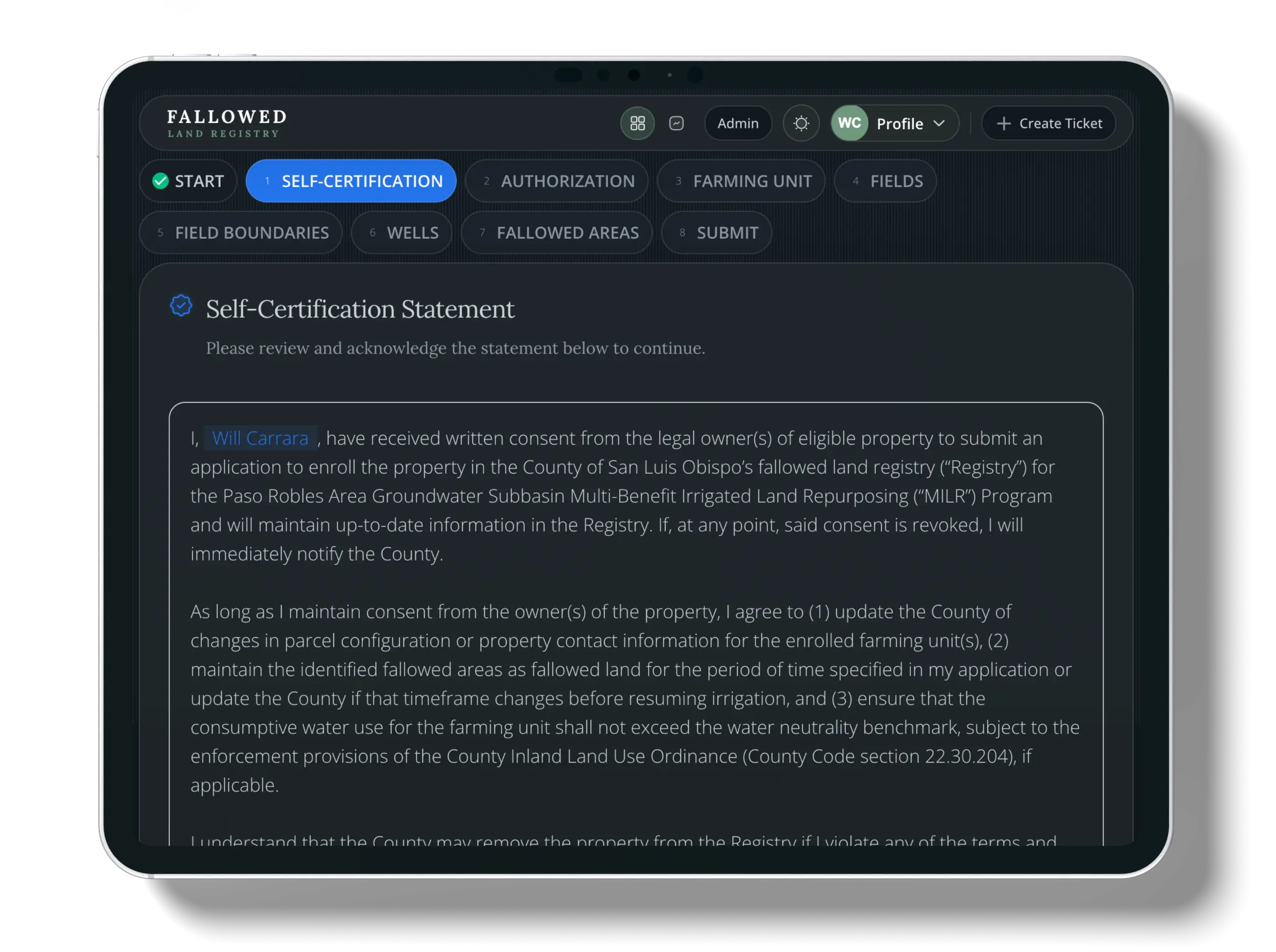
Confirm property owner permission and agree to the Registry terms to ensure data accuracy and program compliance.
Tip: Once you save, your agreement can't be changed — double-check your entry.
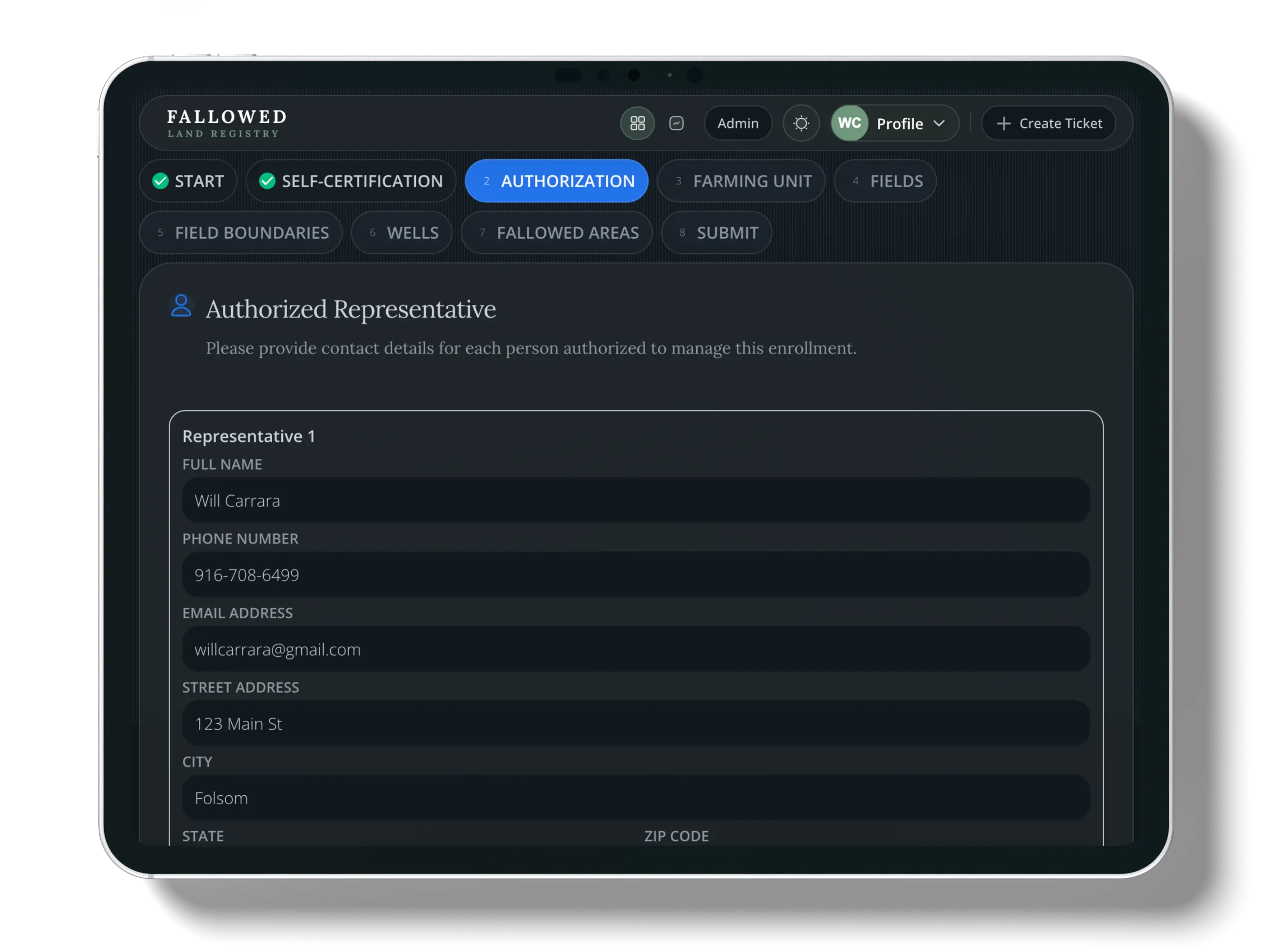
Add contact information for authorized representatives so they receive enrollment updates and confirmations. You can add multiple authorized representatives; all fields are required for each person you add.
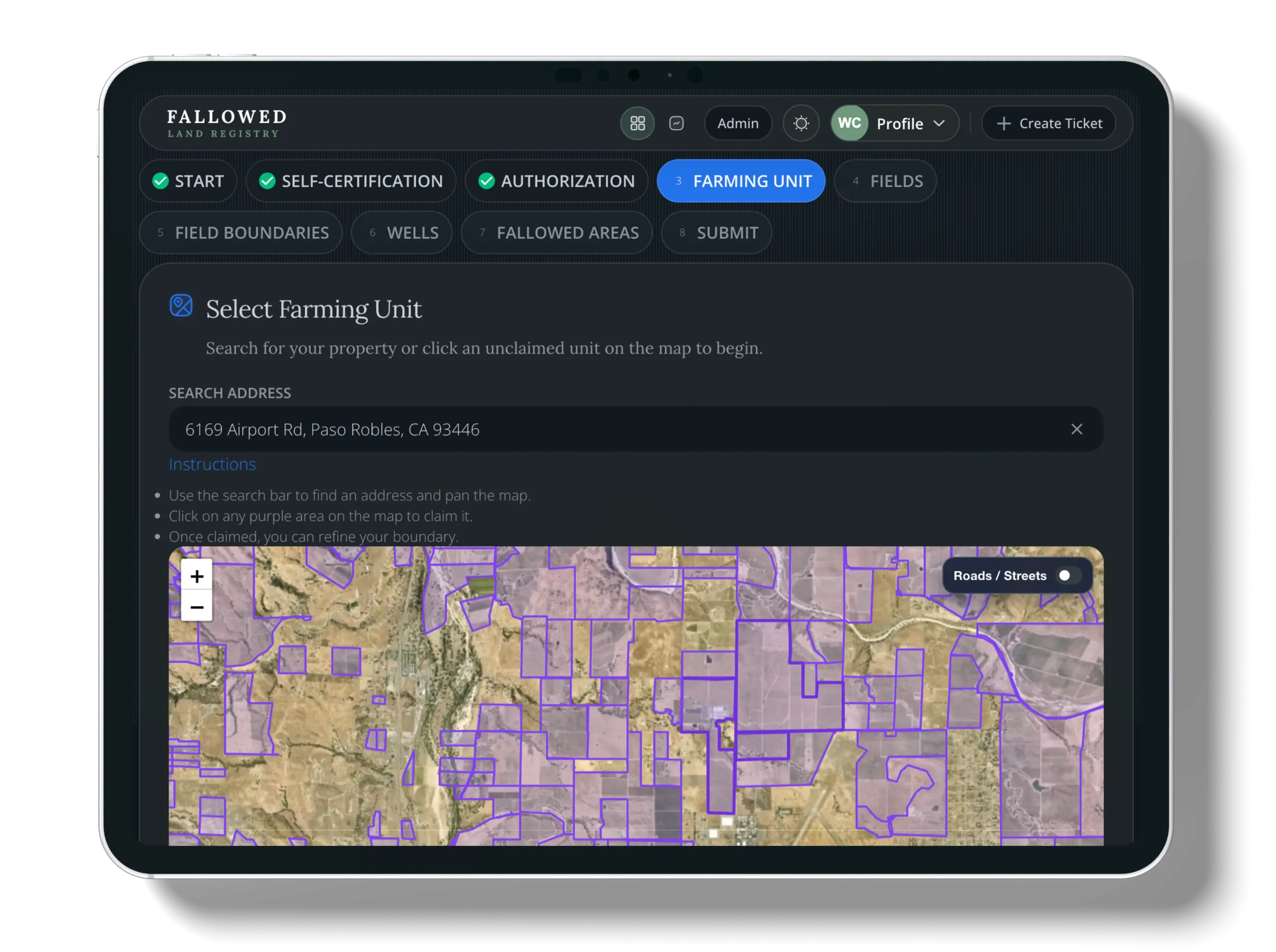
Confirm or claim your farm boundary on the interactive map. You can toggle on Street View or use the built-in search to find your farming unit. Once you claim a unit, that action cannot be undone unless you delete your enrollment. If you run into trouble, use the Create Ticket + button at any time to submit a support ticket. You can edit your farming unit boundary; your edit appears as an override throughout the enrollment process until an administrator approves it.
Agriculture offsets
Pick which fields you want to include in your enrollment. Only selected fields will be available for fallowing. Crop and irrigation information is not added here—in the next step you review and correct pre-populated crop and irrigation data for the fields you selected. If a field you expect is missing, submit a support ticket and attach a screenshot.
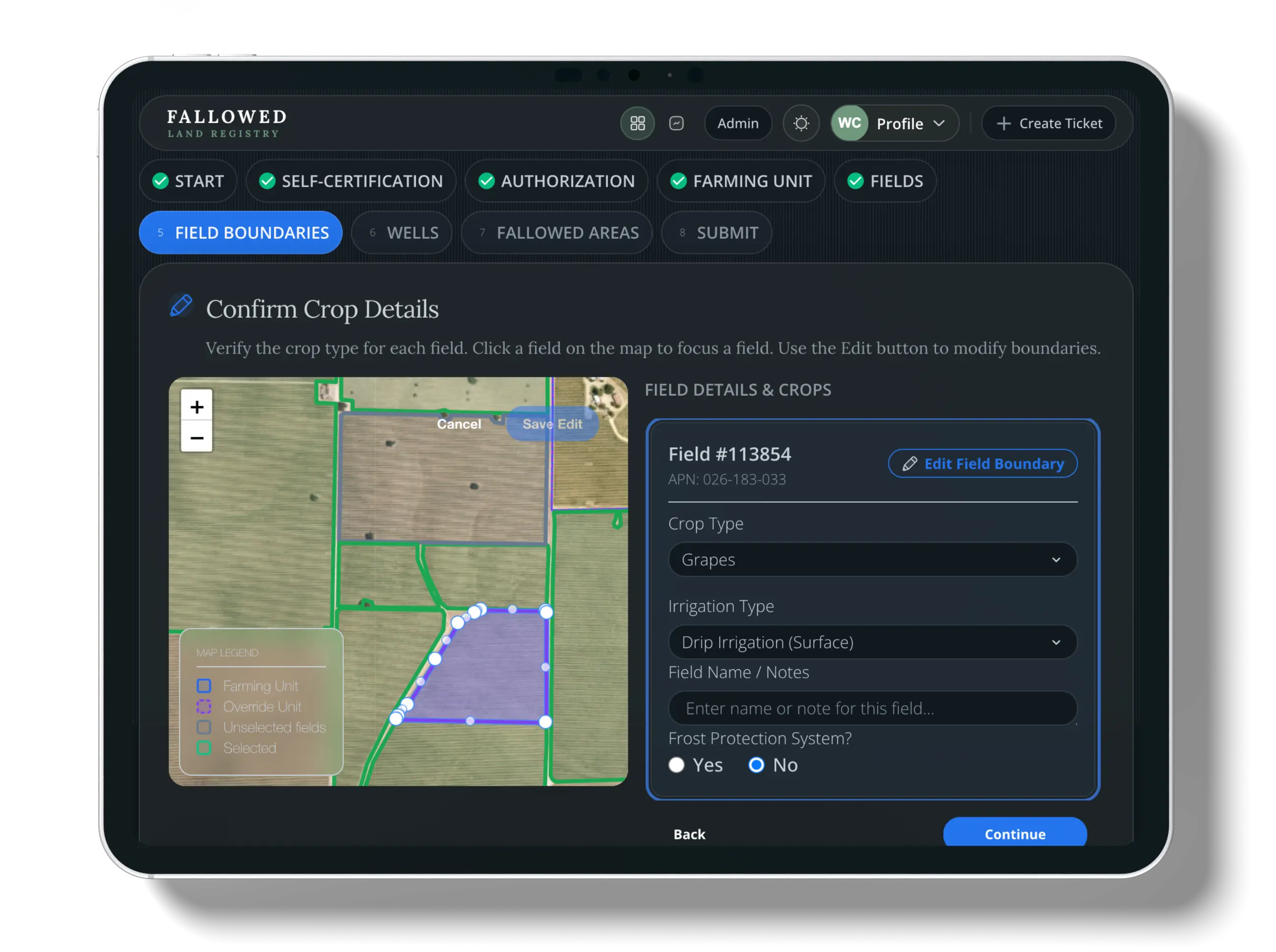
Review and correct pre-populated crop and irrigation details for each selected field, choose frost protection from the dropdown options where applicable, and request boundary updates if the map data needs correction.
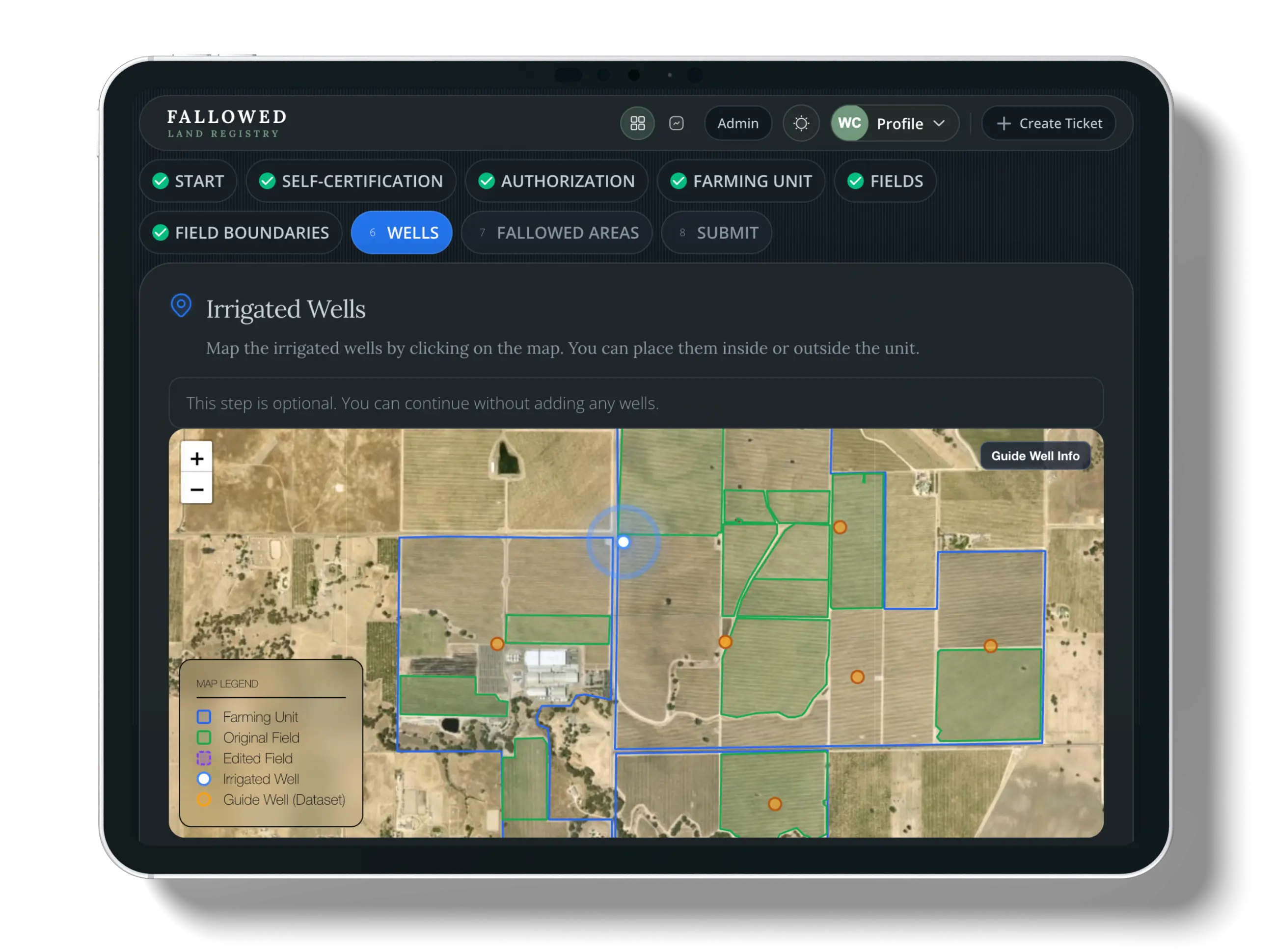
This step is optional. Wells prepopulate from county records so you can see what is on file—informational only, not for tracking water use. Click a county well marker to view its information and open a redacted PDF from county records. Those prepopulated locations are fixed and cannot be moved or modified. You can click the map to add extra wells when you have irrigation or domestic wells that are not already shown.
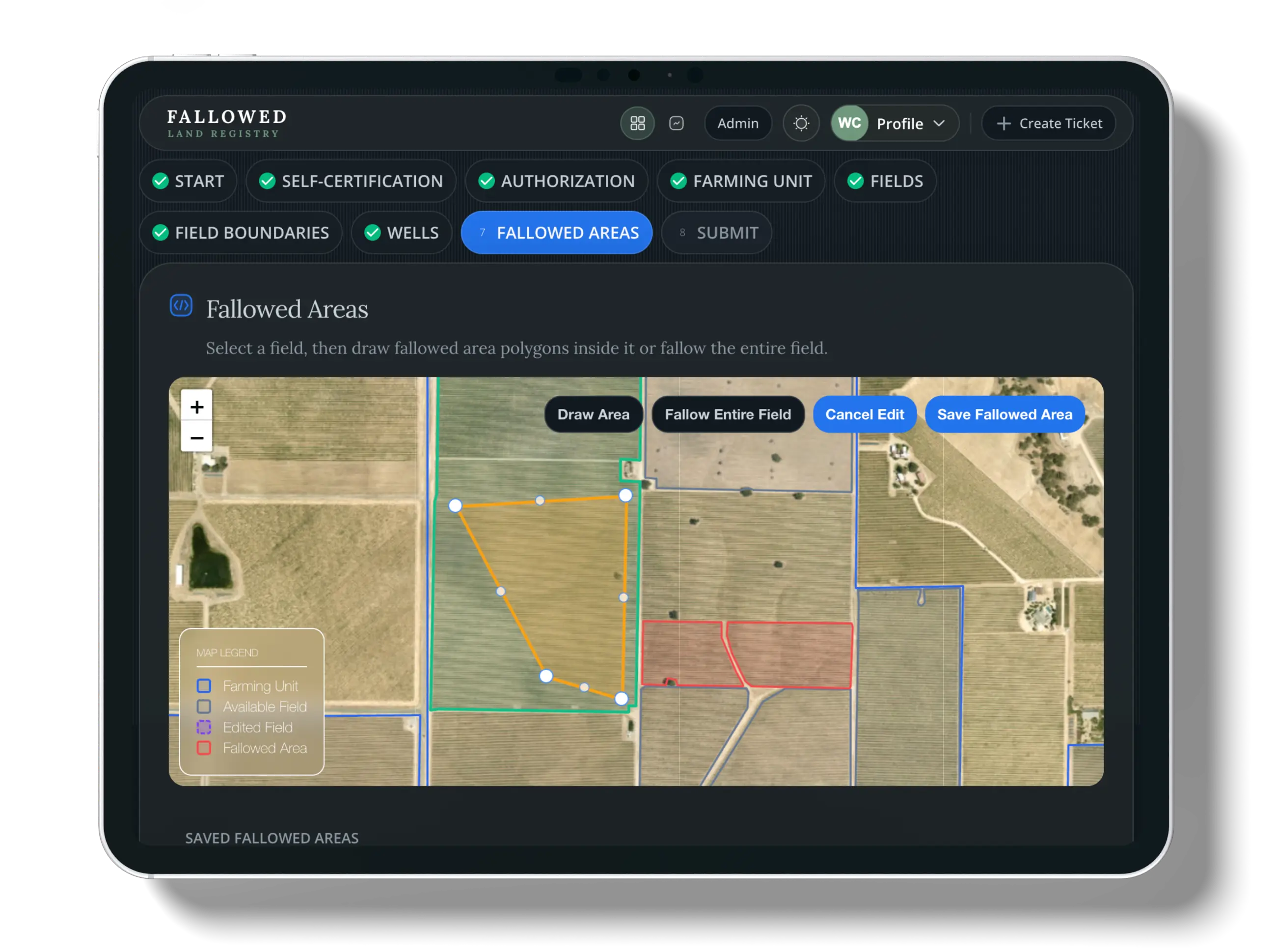
Define what you are fallowing: you can fallow an entire field or draw an area inside a field. Acreage is calculated and shown for you. Choose a fallow start date up to five years in the past. For fallow end timing, pick a range: short (>1 year), medium (3-5 years), or long (5+ years). When you save, we run a quick automated check to verify eligibility.
After your enrollment is approved, you can update these choices if circumstances change—for example replanting, enrolling additional land, or rotating what you fallow.
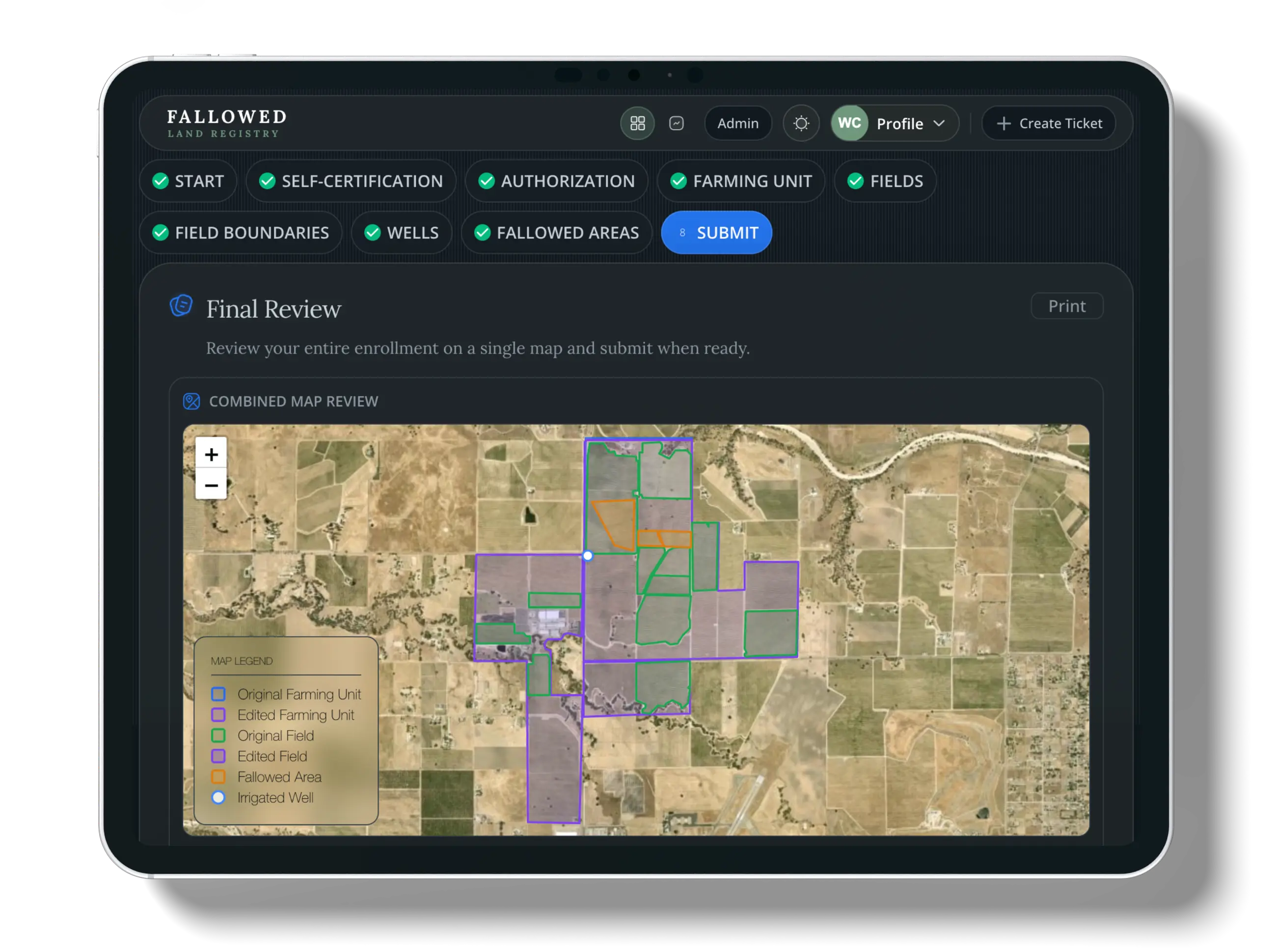
Review your entire application summary and submit for final processing. You will get email notifications from support@fallowedlandregistry.com when you submit and again when your enrollment is approved.
Tip: If you do not see an email, check your spam or junk folder.
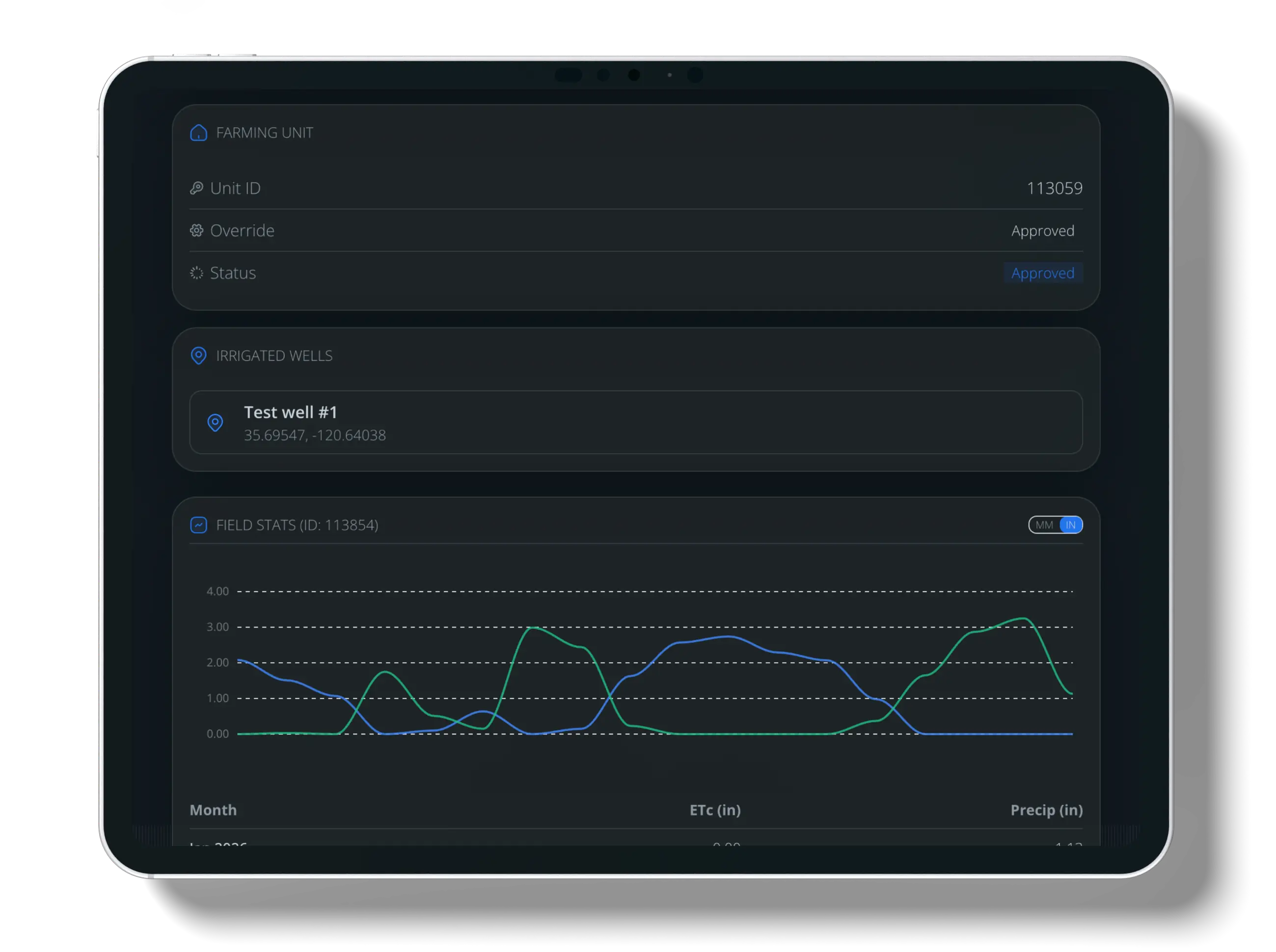
Once your enrollment is approved, you can open the enrollment Summary to explore monthly crop evapotranspiration (ETc) and precipitation from August 2024 through the latest available month, using Land IQ–sourced data for your fields.
This step is available only after your enrollment has been approved. For where these datasets come from, see Data Sources.